Summary
This is a story of how I used Codex and some Python to migrate my local RENPHO Health data stored in Guest mode into my RENPHO Cloud account so that when I got a new scale (or phone), I wouldn’t lose almost 3 years of weight tracking. This data was really important to me because it documented a 55lb weight loss journey, that honesty I had no idea I would be on.
Online there were no migration paths and support responded with a standard “this is not supported”.
So I asked Codex if I could do it with an API and a little Python. That turned into a bit of a rabbit hole involving two upload paths, a trailing slash, and a reading that showed up in the app without its muscle mass.
If you want to skip straight to the code, it’s on GitHub.
Down the Rabbit Hole
Codex found Python libraries that could read from RENPHO, and renpho-py gave us authentication, encryption, and a way to pull readings back. I pushed it to dig further on writes. That led to inspecting the public Android app package and finding separate upload paths for standard scales and body composition scales. The trailing slash was a real difference in how the app called the API.
Can I Even Log In?
I normally signed in with Google, so I wanted to make sure a RENPHO password would land me in the same account. I reset the password, ran a read-only check, and compared the result with the app. That gave me a known account and a genuine weigh-in to compare against before I uploaded anything.
It Uploaded! Sort Of
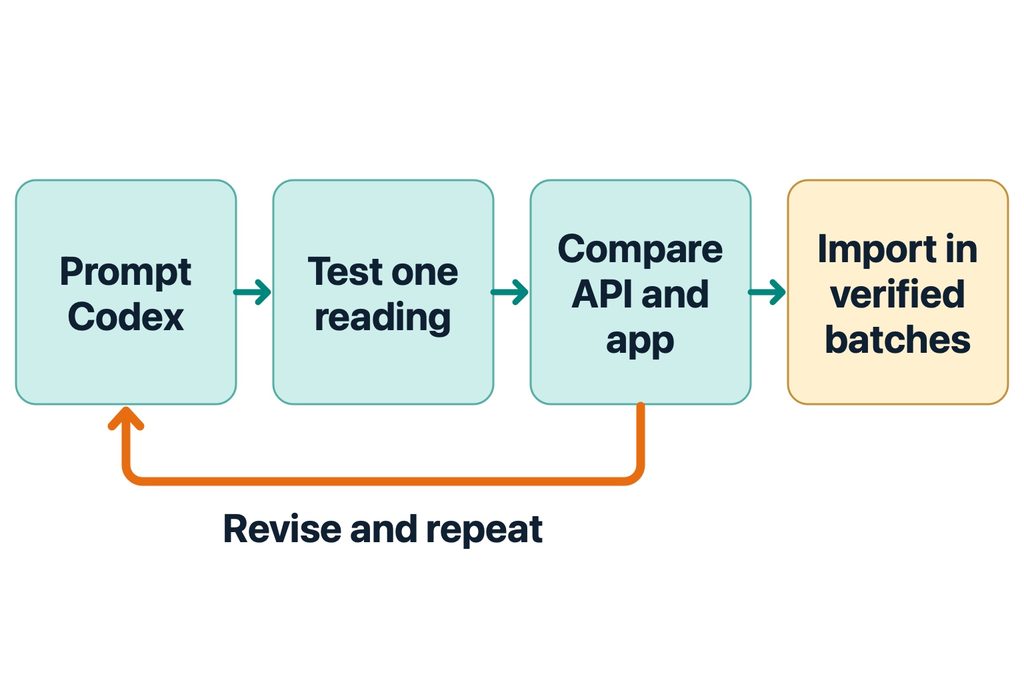
This is where I’d spend the most time. I ran one row at a time, checked History on my phone, and gave Codex the actual output. The first upload saved, but the app labeled it “Manual Input” and left muscle mass and muscle percentage blank. I took another weigh-in on the old ES-CS20M so we had a genuine reading from the same scale. Comparing the records and tracing the app code led to two fixes: put muscle mass in the field the app actually reads, and use the original scale’s device address. Each fix got its own test.
Now Do the Rest
Once a test row looked right in the app, I asked about rate limits and how to resume if an import stopped. That became the final workflow: run a read-only plan, test one row, then send 20 at a time and read each batch back.
Success!
dwcjr@MacBook-Pro-2 renpho-history-import % echo $script
/Users/dwcjr/Documents/Codex/2026-11-10/in/outputs/renpho-import.py

dwcjr@MacBook-Pro-2 ~ % /tmp/renpho-check/bin/python "$script" \
  --csv "$csv" --timezone America/Chicago \
  --email "$email" --expected-id "$account_id" \
  --import-es-cs20m --limit 20

The Android standard-scale payload has no smmMass field. Check muscle metrics in the app after the test.
1 matching ES-CS20M readings, 748 missing, 0 conflicts.
Type UPLOAD to send 20 reading(s): UPLOAD
Verified 10 of 20 reading(s) (excluding smmMass).
Verified 20 of 20 reading(s) (excluding smmMass).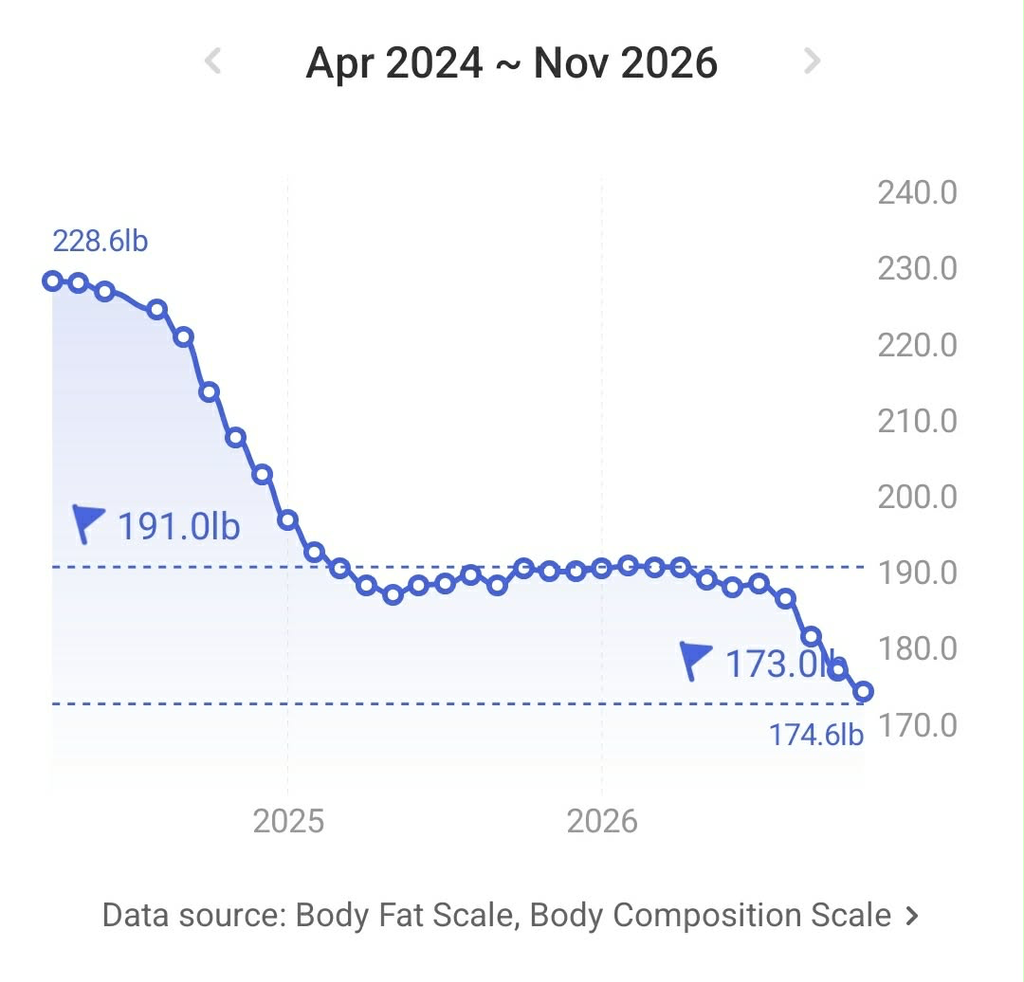
Links
In Conclusion
AI is not a terrible thing and its not a great thing by itself. When misused and misunderstood it can make things go horribly wrong. Used in the right way it can be an enabler and lower the barrier. In this case, having the technical background to accomplish this, it significantly lowered the barrier. It went from something I’d probably not have spent time on migrating the data to something that took about an hour to work through, end to end.